

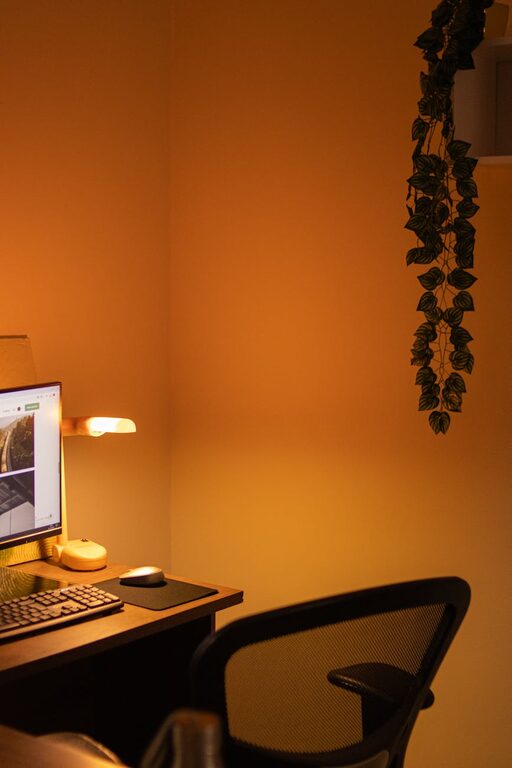
Creating a cozy and inviting home workspace can significantly improve your focus, motivation, and overall work satisfaction. Whether you’re working remotely full-time or just need a dedicated spot for occasional tasks, designing a space that feels comfortable and inspiring is essential. Here are practical tips to help you craft a home workspace that blends functionality with warmth.
Choose the Right Location
Find Natural Light
Natural light can lift your mood and reduce eye strain. If possible, position your desk near a window or in a bright corner. Avoid glare on your computer screen by adjusting blinds or using sheer curtains.
Consider Quietness and Privacy
Select a spot that’s away from household noise and distractions. If space is limited, consider a nook or a quiet corner with a room divider to create separation.
Invest in Comfortable Furniture
Ergonomic Chair
A supportive chair is vital for comfort during long hours of work. Look for adjustable chairs that provide good back support to reduce strain.
Functional Desk
Your desk should fit your work needs. Whether a large surface for multiple screens or a compact writing desk, make sure it suits your workflow and available space.
Optimize Lighting
Layer Your Lighting
Besides natural light, include task lighting like a desk lamp for focused work. Ambient lighting, such as floor lamps or wall sconces, can add warmth and reduce eye fatigue.
Choose Warm Light Bulbs
Warm or soft white bulbs create a cozy atmosphere compared to harsh fluorescent lighting. This can help you feel relaxed and focused.
Personalize Your Space
Add Plants
Greenery not only improves air quality but also adds a calming touch to your workspace. Choose low-maintenance plants like succulents or snake plants if you’re busy.
Display Personal Items
Incorporate photos, art, or meaningful objects that inspire you. However, keep decorations minimal to avoid clutter and distractions.
Use Color Wisely
Colors influence mood and productivity. Soft, neutral tones promote calmness, while splashes of brighter colors like blue or green can energize and stimulate creativity.
Keep It Organized
Use Storage Solutions
Shelves, baskets, and drawer organizers help keep your supplies tidy and within reach. A clutter-free desk encourages clear thinking.
Maintain Cable Management
Tidy cables with clips or sleeves prevent messy tangles and keep your workspace looking neat.
Establish Daily Cleanup Habits
Spend a few minutes at the end of each day clearing your desk. This simple habit helps start fresh the next workday.
Incorporate Comfort Elements
Soft Textiles
Add a cushioned chair pad or a small throw blanket to increase comfort. A rug underfoot can also make the area feel more inviting.
Temperature Control
Keep a small fan or heater nearby to adjust for your comfort. Feeling physically comfortable helps maintain focus longer.
Use Technology Thoughtfully
Quality Equipment
Invest in reliable devices like a good monitor, keyboard, and mouse for smooth work. Proper tools reduce frustration and physical strain.
Noise Control
If ambient noise is an issue, consider noise-canceling headphones or white noise machines to create a peaceful environment.
Establish Boundaries and Routine
Define Work Hours
Set clear work times to separate professional tasks from personal life. This helps avoid burnout and supports work-life balance.
Create a Ritual
Begin your workday with a small routine, like making a cup of tea or tidying your desk, to mentally prepare and build consistency.
Final Thoughts
Making your home workspace cozy and inviting doesn’t require a big budget or major renovations. With thoughtful choices in lighting, furniture, decor, and organization, you can craft a space that supports your productivity and makes working from home a pleasure. Take the time to tailor the area to your preferences and needs, and enjoy the benefits of a workspace that truly feels like your own.