

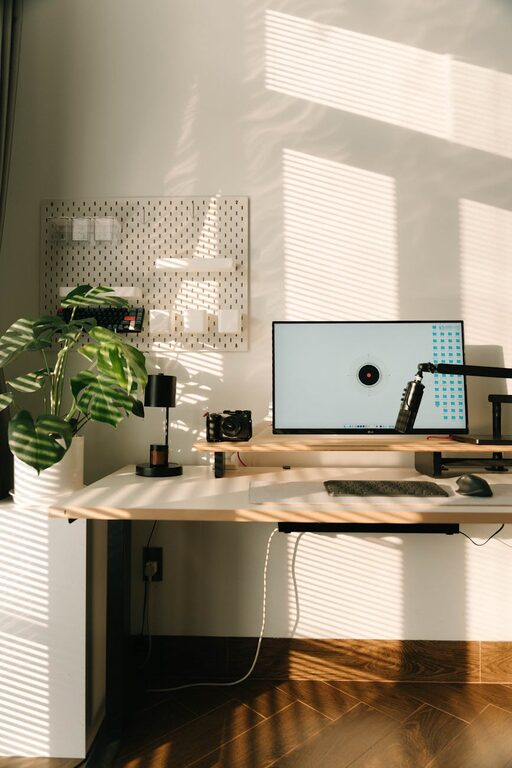
Creating a cozy and functional home office is key to enhancing your work-from-home experience. Whether you have a dedicated room or a small corner, thoughtful design can make your workspace inviting and productive. Here are practical tips to help you create a home office that feels comfortable and works well for your daily tasks.
Choose the Right Location
Consider natural light
Whenever possible, place your desk near a window to take advantage of natural light. Sunlight can improve mood and reduce eye strain. Avoid glare by positioning your monitor perpendicular to the window.
Minimize distractions
Find a quiet spot away from household traffic, noisy appliances, or television. If a separate room isn’t available, use partitions or screens to create a visual barrier from distractions.
Invest in Comfortable Furniture
Ergonomic chair
A supportive chair is essential for long hours at your desk. Look for adjustable features including height, backrest angle, and lumbar support to maintain good posture.
Functional desk
Select a desk with enough surface area for your computer, paperwork, and essentials. If space is limited, consider wall-mounted desks or foldable options.
Include storage
Choose desks with drawers or nearby shelves to keep supplies handy but organized. Clutter-free spaces promote focus and reduce stress.
Organize Your Workspace Efficiently
Use organizers and containers
Desk trays, drawer dividers, and pen holders help keep small items in place. Clear containers allow you to find what you need quickly without digging through piles.
Cable management
Tidy cables using clips, sleeves, or cable boxes to prevent tangling and hazards. Organized cables contribute to a sleek and distraction-free environment.
Keep only essentials on your desk
Avoid overcrowding your desktop. Keep frequently used items accessible, and store less critical things away to maintain a clean workspace.
Enhance Comfort and Aesthetic Appeal
Add soft textures
Incorporate textiles like a cushioned rug, soft curtains, or a cozy throw pillow to soften the atmosphere. These elements make the space feel inviting without compromising professionalism.
Personalize with décor
Include plants, artwork, or photos that inspire you but don’t overwhelm the workspace. Green plants can improve air quality and add a touch of nature.
Select calming colors
Choose muted or neutral colors for walls and furniture to create a relaxing environment. Light blues, greens, or warm earth tones work well to reduce stress.
Optimize Lighting
Combine natural and artificial light
In addition to natural daylight, use adjustable desk lamps and overhead lighting with warm tones to reduce eye fatigue. Avoid harsh fluorescent lights by opting for bulbs with soft light.
Consider task lighting
A focused desk lamp helps illuminate work materials during evening hours or cloudy days, enhancing visibility and comfort.
Manage Noise Levels
Use noise-cancelling headphones
If your home has background noise, noise-cancelling headphones can help maintain concentration.
Soundproofing
Add rugs, curtains, or acoustic panels to absorb sound and reduce echo. Soft furnishings contribute to a quieter workspace.
Establish Work Zones
Separate work and leisure
Define clear boundaries between your home office and personal spaces. If sharing space, use room dividers or different furniture styles to mark work zones.
Create zones for different tasks
If space allows, designate areas for computer work, reading, or brainstorming to encourage productivity and flexibility.
Incorporate Technology Thoughtfully
Reliable internet connection
Ensure your workspace has strong Wi-Fi or wired internet to avoid connectivity issues during work.
Use wireless devices
Wireless keyboards, mice, and headphones reduce cable clutter and increase mobility around your desk.
Keep tech essentials organized
Charge your devices with designated stations and use stands to keep screens at eye level, promoting good posture.
Maintain a Routine for Tidiness
Daily cleanup
Spend a few minutes each day tidying your desk to prevent clutter buildup.
Regular decluttering
Every few weeks, review your office supplies and remove or store items you no longer need.
—
Designing a home office that balances comfort and functionality can dramatically improve your work-from-home experience. By focusing on ergonomics, organization, lighting, and personalization, you can create a space that supports productivity and well-being. Remember, the best home office reflects your needs and style, making your workday both enjoyable and efficient.