

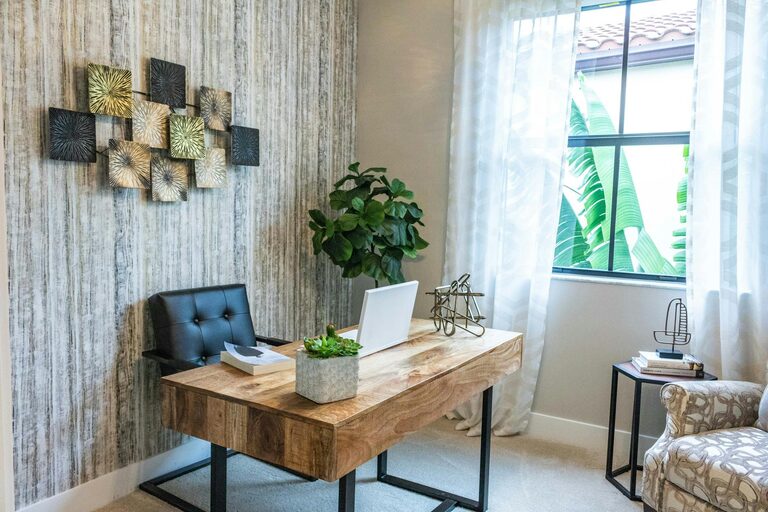
Creating a home workspace that feels inviting while also serving your productivity goals can be a rewarding challenge. A cozy and functional home office not only boosts your efficiency but also makes working from home enjoyable. Whether you have a dedicated room or a small corner, these tips will help you design a space that supports your work and well-being.
Choose the Right Location
Assess Your Space
Begin by identifying a quiet area with minimal distractions. This could be a spare room, a section of your living room, or even a nook near a window. Natural light is a big plus — it can improve mood and reduce eye strain.
Consider Privacy and Noise
If privacy is essential for your work, find a spot away from household traffic. Using room dividers or noise-cancelling headphones can help you focus in less secluded areas.
Invest in Comfortable, Supportive Furniture
Select an Ergonomic Chair
Comfort is key for long hours at your desk. An ergonomic chair with adjustable height, lumbar support, and comfy padding helps maintain good posture and prevent aches.
Choose a Functional Desk
Your desk should provide enough surface area for your computer, notebooks, and other essentials. Consider adjustable desks if you want to switch between sitting and standing during the day.
Optimize Lighting for Comfort and Productivity
Use a Mix of Natural and Artificial Lighting
Position your desk near a window to maximize sunlight. Supplement with soft LED desk lamps and overhead lighting to avoid harsh shadows and glare.
Avoid Screen Glare
Place screens perpendicular to windows and light sources to reduce reflections. Adjusting blinds or curtains can also help control brightness.
Organize Your Workspace Efficiently
Declutter Regularly
Keep only the items you need within arm’s reach. A tidy desk reduces distractions and helps you focus.
Utilize Storage Solutions
Use shelves, filing cabinets, drawer organizers, and baskets to store documents, stationery, and equipment neatly.
Develop a System
Label folders, create digital backups, and maintain routines for organizing paperwork to keep everything easily accessible.
Personalize Your Space to Make It Inviting
Add Comfort Elements
Incorporate cushions, a cozy blanket, or a small rug to make the space feel warm and inviting.
Bring in Greenery
Plants can improve air quality and add a touch of nature, which can help reduce stress.
Include Inspiring Decorations
Decorate with artwork, motivational quotes, or photos that encourage creativity and positivity.
Manage Technology and Cables
Keep Cables Tidy
Use cable clips, sleeves, or boxes to avoid tangled cords that create visual clutter.
Choose Reliable Equipment
Invest in a good-quality monitor, keyboard, and mouse to enhance comfort and efficiency.
Set Up Proper Internet Connectivity
A stable internet connection is vital for uninterrupted work, especially during video calls or online collaboration.
Establish Boundaries to Separate Work and Home Life
Create a Routine
Start and end your workday at consistent times to maintain structure.
Use Physical Cues
Closing a door or covering your workspace after hours helps signal the end of the workday to yourself and others.
Add Functional Extras
Incorporate a Whiteboard or Corkboard
Visual aids help keep track of to-do lists, deadlines, and ideas.
Keep Healthy Snacks and Water Accessible
Staying hydrated and energized supports concentration throughout your workday.
Final Thoughts
Designing a home workspace that balances coziness and functionality supports both your physical comfort and mental focus. By carefully choosing your location, furniture, lighting, and organization strategies, you can create an environment that encourages productivity and makes working from home a pleasant experience. Personalize the space to reflect your style while maintaining clear boundaries between work and relaxation to help you thrive in your remote work routine.