

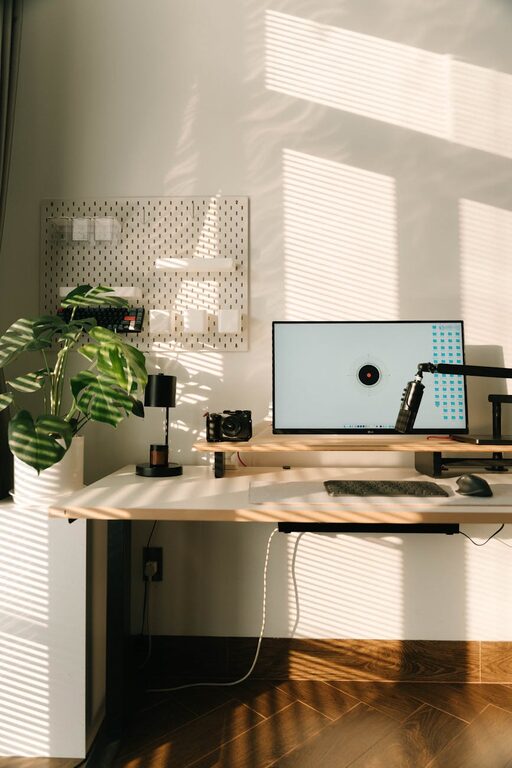
Working from home has become increasingly common, and creating a productive home office environment is key to maintaining focus and efficiency. Whether you’re new to remote work or looking to improve your current setup, small changes can make a big difference in your daily routine. Here are some practical tips to help you design a workspace that supports productivity and well-being.
Choose the Right Location
Selecting the right spot in your home for your office space is the first step. Ideally, choose a quiet area with minimal distractions. This might be a spare room, a corner of your living room, or even a dedicated nook. Consider your daily routine and choose a place that’s convenient yet separate enough to create a boundary between work and home life.
Prioritize Ergonomics
Comfort is crucial for productivity. Invest in an ergonomic chair that supports your back and encourages good posture. Your desk height should allow your wrists to remain straight while typing, and your feet should rest flat on the floor or on a footrest. Position your computer screen at eye level to reduce neck strain.
Ergonomic Tips:
– Use a chair with adjustable height and lumbar support.
– Keep your monitor about an arm’s length away.
– Use a separate keyboard and mouse if you work on a laptop.
Optimize Lighting
Good lighting helps reduce eye strain and keeps you alert. Natural light is ideal, so if possible, set up your workspace near a window. Supplement with task lighting, like a desk lamp, especially for late afternoons or rooms with limited sunlight. Avoid glare on your screen by positioning your desk perpendicular to windows.
Keep Your Workspace Organized
Clutter can distract and reduce efficiency. Keep essential items nearby and organize your documents and supplies with shelves, drawers, or storage boxes. At the end of each day, take a few minutes to tidy your desk to help start fresh the next morning.
Use Technology Wisely
Equip your home office with dependable technology that fits your job needs. A fast internet connection, a good-quality headset, and productivity apps can enhance remote work. Explore tools for task management, video conferencing, and time tracking to stay organized and connected.
Set Boundaries and Routine
Without a physical office, it’s important to set clear boundaries. Define your work hours and communicate them with family or housemates. Establishing a consistent routine helps your mind switch to “work mode” and maintain focus throughout the day.
Personalize Your Space
Adding personal touches like plants, art, or photos can make your workspace inviting and reduce stress. Greenery, in particular, can improve air quality and create a calming atmosphere.
Minimize Distractions
Identify what typically interrupts your work and find ways to minimize them. This may include silencing non-work notifications, setting “do not disturb” times, or using noise-canceling headphones. Creating a distraction-free zone will help you maintain concentration.
Incorporate Breaks and Movement
Regular breaks are vital to stay productive and avoid burnout. Use techniques like the Pomodoro method—working in focused intervals followed by short breaks. Stand up, stretch, or take a brief walk to refresh your body and mind.
Keep Hydrated and Snack Smartly
Having water and healthy snacks nearby can help sustain your energy levels. Avoid heavy meals or excessive caffeine that might cause energy crashes.
Conclusion
Designing a productive home office environment involves more than just choosing the right furniture. By focusing on location, comfort, lighting, organization, technology, and healthy habits, you can create a workspace that enhances your focus and well-being. Keep experimenting with your setup to find what works best for you, and enjoy the benefits of a well-designed home office.